Freelancers and digital creators thrive on visibility, speed, and smart tools that simplify their workflows. In an increasingly mobile-first world, QR codes have become powerful bridges between offline and online experiences. Whether placed on business cards, social media banners, packaging, invoices, or digital portfolios, QR codes make it easier for clients and followers to engage instantly. Choosing the right QR code maker can make a noticeable difference in branding, analytics, and overall usability.
TLDR: QR code generators are essential tools for freelancers and digital creators who want to connect audiences quickly to portfolios, payments, and content. The best platforms offer customization, tracking, dynamic codes, and branding options. From free generators to advanced analytics tools, there is a solution for every budget and need. Below is a curated list of the 10 top QR code makers, along with a comparison chart and FAQs.
Why Freelancers and Digital Creators Need QR Codes
Independent professionals constantly look for efficient ways to convert views into engagement. A well-placed QR code can instantly direct prospects to:
- Online portfolios
- Payment links
- Booking calendars
- Digital resumes
- Social media profiles
- Exclusive content or downloads
Dynamic QR codes, in particular, allow creators to change the destination link without reprinting materials. This flexibility is especially beneficial for those who regularly update their offerings.

10 Top QR Code Makers for Freelancers and Digital Creators
1. QR Code Generator by The QR Code Generator
This platform offers both free and paid options, with strong customization features. Users can adjust colors, add logos, and track scan analytics. Its intuitive dashboard appeals to freelancers who want quick setup without a steep learning curve.
Best for: Creators wanting a balance of simplicity and analytics.
2. Beaconstac
Beaconstac is known for its professional-grade dynamic QR codes and detailed tracking. It supports retargeting integrations and advanced campaign management features.
Best for: Marketing-focused freelancers managing multiple campaigns.
3. QR Code Tiger
This tool offers highly customizable codes, including logo embedding and color changes. It supports dynamic QR codes and file uploads such as PDFs and vCards.
Best for: Designers and visual creators who prioritize branding.
4. Flowcode
Flowcode combines sleek design with strong analytics. It provides scan insights, location tracking, and performance metrics that help creators measure engagement.
Best for: Data-driven creatives and influencers.
5. Canva QR Code Generator
Integrated directly into Canva’s design platform, this generator makes it incredibly easy to add QR codes to marketing materials, presentations, and social posts.
Best for: Freelancers already designing in Canva.
6. QRStuff
QRStuff is a long-standing tool offering a wide variety of QR code types. While its interface may seem basic, it covers many content formats.
Best for: Users who want functional simplicity and varied data types.
7. The QR Code Generator (Unitag)
Unitag focuses heavily on visual customization, allowing detailed control over shapes, colors, and branding elements.
Best for: Brand-conscious digital creators.
8. GoQR.me
This is a straightforward, mostly free generator ideal for quick, static QR code creation without account setup.
Best for: Freelancers needing fast, no-frills QR codes.
9. Scanova
Scanova offers robust campaign management tools and bulk QR code generation features.
Best for: Creators handling event marketing or product launches.
10. QR.io
QR.io provides dynamic QR codes with customization and tracking capabilities. It’s beginner-friendly and offers multilingual support.
Best for: Freelancers working with global clients.
Image not found in postmetaComparison Chart
| Tool | Dynamic Codes | Analytics | Customization | Free Plan | Best For |
|---|---|---|---|---|---|
| The QR Code Generator | Yes | Yes | High | Limited | Balanced features |
| Beaconstac | Yes | Advanced | High | Trial | Marketing campaigns |
| QR Code Tiger | Yes | Yes | Very High | Limited | Branding |
| Flowcode | Yes | Advanced | Moderate | Limited | Analytics tracking |
| Canva | No | No | Basic | Yes | Design projects |
| QRStuff | Yes | Basic | Moderate | Yes | Variety of data types |
| Unitag | Yes | Yes | Very High | Trial | Visual branding |
| GoQR.me | No | No | Low | Yes | Quick static codes |
| Scanova | Yes | Advanced | High | Trial | Bulk campaigns |
| QR.io | Yes | Yes | High | Trial | Global projects |
Key Features to Consider
When selecting a QR code maker, freelancers and digital creators should focus on the following:
- Dynamic vs. Static Codes: Dynamic codes allow URL editing without redesign.
- Analytics: Scan tracking, device data, and location insights help refine marketing strategies.
- Customization: Logo placement and brand colors build recognition.
- File Support: PDF, vCard, social links, and payment integrations expand usability.
- Ease of Use: Quick setup saves time during client projects.
- Pricing: Monthly subscriptions should match business scale.
Creative Ways to Use QR Codes
Many creators underestimate the flexibility of QR codes. Beyond business cards, they can be used in:
- Podcast cover art linking to episodes
- Merchandise packaging
- Event banners and posters
- Online invoices for instant payment
- Email signatures
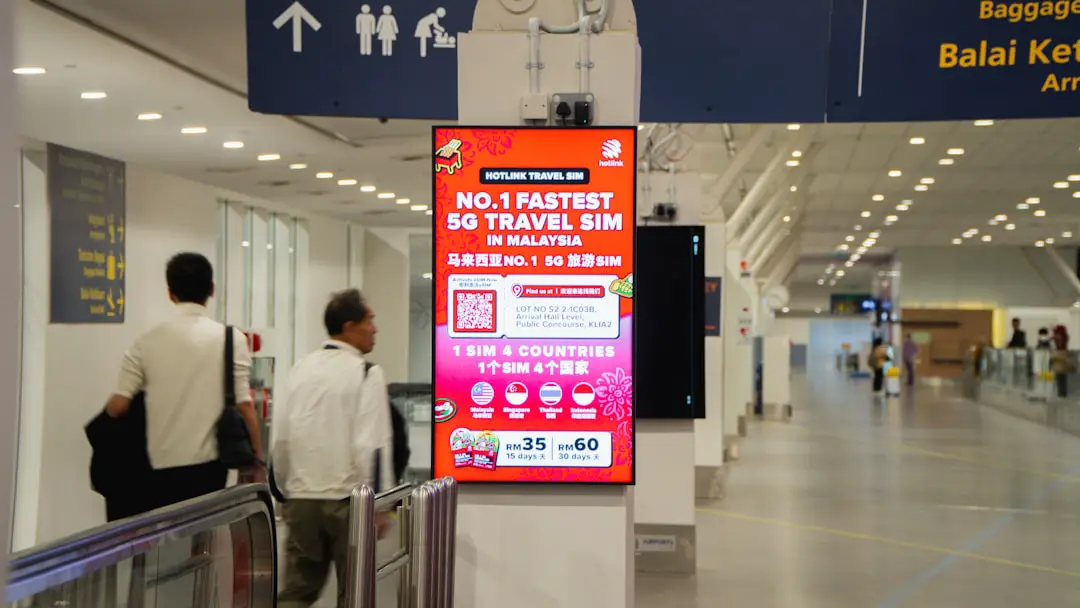
When thoughtfully placed, QR codes reduce friction and make it simple for potential clients to take immediate action.
Final Thoughts
For freelancers and digital creators, efficiency is everything. QR codes eliminate barriers between exposure and engagement, allowing audiences to move instantly from interest to action. The right QR code maker depends on budget, branding needs, and whether analytics are necessary.
Those who prioritize visual identity may gravitate toward platforms like QR Code Tiger or Unitag. Data-driven creators might prefer Flowcode or Beaconstac. Meanwhile, Canva or GoQR.me serve well for quick, simple projects. Ultimately, investing in a reliable QR code solution enhances professionalism and creates seamless digital pathways for clients and followers alike.
Frequently Asked Questions (FAQs)
1. Are free QR code generators sufficient for freelancers?
Free generators are often sufficient for static QR codes. However, freelancers who need analytics, editable links, or campaign tracking will benefit from paid dynamic options.
2. What is the difference between static and dynamic QR codes?
Static QR codes have fixed information that cannot be changed. Dynamic QR codes allow users to update the destination URL or content without reprinting the code.
3. Can QR codes be customized to match a brand?
Yes. Many QR code makers allow color adjustments, logo embedding, and shape customization to align with a brand’s visual identity.
4. Do QR codes expire?
Static QR codes generally do not expire. Dynamic QR codes may expire depending on the subscription plan of the chosen provider.
5. How can freelancers track QR code performance?
By using a generator with built-in analytics, freelancers can monitor scan counts, device types, locations, and time-based metrics.
6. Are QR codes safe to use?
Yes, as long as they link to secure and trustworthy destinations. Freelancers should always ensure their links use HTTPS and reputable hosting services.
7. Where should digital creators place QR codes for maximum impact?
High-visibility placements include business cards, social media bios, event materials, packaging, invoices, and email signatures.