In today’s fast-paced digital world, having a browser that aligns with your browsing habits, privacy needs, and performance expectations is crucial. Modern internet users demand more than just page loading — they seek personalization, built-in security, productivity tools, and seamless integration across devices. With a growing range of advanced browsers available, choosing the right one can elevate your entire online experience.
TL;DR
Modern web browsers go far beyond loading web pages — they are security tools, productivity enhancers, and custom workspaces. This article covers 12 advanced browsers designed for security-conscious, multi-tasking, and tech-savvy users. From privacy-focused options like Brave and Tor to innovative tools like Arc and Sidekick, we review the top smart browsers optimized for today’s web environment. Whether you’re a developer, a minimalist, or a privacy advocate, there’s a browser tailored for your needs.
1. Brave – The Privacy Pioneer
Best for: Users who value ad blocking, enhanced privacy, and speed.
Brave is a cutting-edge browser built on Chromium that eliminates intrusive ads and trackers by default. Its capabilities extend to automatically upgrading connections to HTTPS, integrating Tor for private tabs, and offering a reward system via its Basic Attention Token (BAT).
Main Features:
- Built-in ad and tracker blocker
- Tor-powered anonymous browsing
- Earn crypto for viewing private ads (optional)
- Fast page load times
2. Mozilla Firefox – The Customization King
Best for: Open-source advocates and users looking for extensibility.
Firefox is a trusted favorite among developers and privacy-conscious users. Known for its open-source nature, it emphasizes user control and transparency. Mozilla consistently upgrades security features, including DNS-over-HTTPS, container tabs, and advanced tracking protection.
Main Features:
- Strong privacy controls
- Large extension ecosystem
- Sync across devices without compromising data
- Minimal memory usage
3. Chrome – The Speed Demon
Best for: Users tied deeply to Google’s ecosystem.
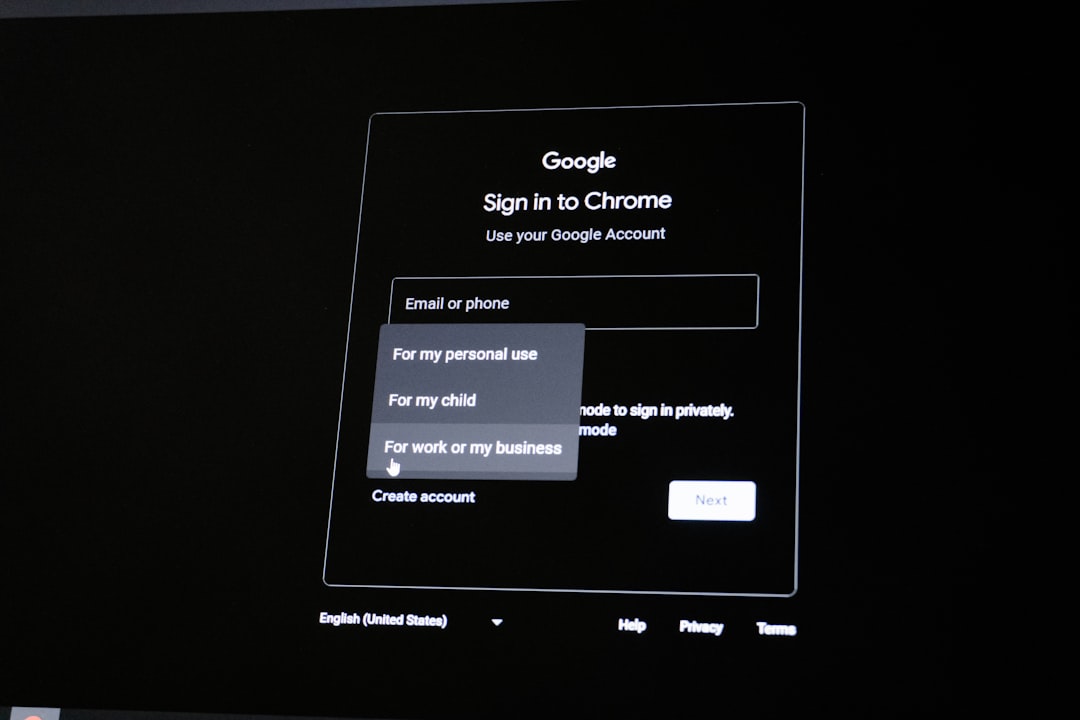
Google Chrome remains a top choice due to its blazing speed, smooth integration with Google services, and its vast extension library. Although criticized for data collection, Chrome consistently delivers top-tier performance and developer tools.
Main Features:
- Efficient rendering engine (Blink)
- Syncs with Gmail, Drive, and other Google services
- Best-in-class developer tools
4. Vivaldi – The Productivity Powerhouse
Best for: Power users and multi-taskers.
Vivaldi allows unmatched customization, letting you adjust virtually every UI element. Features like tab stacking, split-screen view, and built-in note-taking make it ideal for professionals and researchers juggling many pages at once.
Main Features:
- Highly customizable interface
- Built-in notes, email, calendar
- Support for Chrome extensions
5. Arc Browser – The Creative Workspace
Best for: Users seeking a browser-as-a-platform experience.
Arc is redefining the role of the web browser by turning it into a productivity workspace. It replaces the traditional tab layout with a sidebar and focuses on creating temporary “spaces” for tasks, projects, or moods. It’s particularly popular with designers, students, and creatives.
Main Features:
- Minimalist, intuitive interface
- Holds “spaces” for different workflows
- Collaboration tools for shared projects
6. Opera – The Feature-Rich Companion
Best for: Users seeking balance and extras.
Opera consistently adds unique features other browsers lack, such as a free VPN, sidebar messengers, and a crypto wallet. It’s a good all-around browser for everyday use with built-in convenience tools.
Main Features:
- Free built-in VPN
- Integrated messaging apps (Telegram, WhatsApp)
- Crypto wallet for Web3 interactions
7. Tor Browser – The Anonymity Enforcer
Best for: Total anonymity and censorship resistance.
Built on Firefox, Tor routes your connection through the Tor network, making it extremely difficult to trace your activity. It’s the go-to browser for activists, journalists, or users in censorship-heavy regions.
Main Features:
- Multi-layered encryption
- Prevents tracking and browser fingerprinting
- Access to .onion sites
8. Safari – The Apple Optimizer
Best for: Apple users focused on performance and battery life.
Safari is optimized for macOS and iOS, making it a lightweight yet powerful tool for Apple device users. It emphasizes energy efficiency, privacy, and seamless ecosystem integration.
Main Features:
- Excellent performance on Apple devices
- Strong privacy controls
- iCloud Keychain and Continuity support
9. DuckDuckGo Browser – The No-Tracking Solution
Best for: Non-technical users who want built-in privacy.
The DuckDuckGo browser takes the company’s privacy-first ethos and extends it to a full web browsing experience. It blocks third-party trackers and offers automatic HTTPS upgrades, eliminating the need for fine-grained settings tweaks.
Main Features:
- Default tracker blocking
- Clears data after each session
- Search engine that doesn’t profile you
10. Sidekick – The Browser for Work
Best for: Remote teams and workplace-centric workflows.
Sidekick is a Chromium-based browser optimized for professional environments. It features built-in app drawers for tools like Slack, Trello, and Asana. With focused-work modes and tab hibernation, it conserves memory while enhancing task continuity.
Main Features:
- Work-focused interface with app integrations
- Session and tab grouping
- Memory management through tab sleeping
11. Microsoft Edge – The Enterprise Favorite
Best for: Businesses and integration with Microsoft services.
Rebuilt on Chromium, Microsoft Edge has substantially improved. It’s optimized for Windows 10/11, and integrates deeply with Microsoft 365, making it excellent for workplace environments. It also features vertical tabs, built-in writing tools, and robust administrative controls.
Main Features:
- Seamless Microsoft 365 integration
- Collections for organizing research
- Vertical tab support
12. Beaker Browser – The Peer-to-Peer Innovator
Best for: Developers and experimental web users.
Beaker is an experimental browser that lets you create and host peer-to-peer websites directly from your local machine using the Hypercore protocol. It’s geared toward decentralization enthusiasts interested in reshaping how the web works.
Main Features:
- Host websites from your browser
- Supports offline-first development
- Part of the decentralized web movement
Conclusion: The Right Browser for the Right Purpose
No longer is there a one-size-fits-all solution when it comes to browsers. Each modern browser brings something unique to the table — whether it’s privacy, productivity, performance, or innovation. Your optimal browser depends on your workflow, values, and online habits.
Whether you’re seeking minimalism with Arc, enterprise-readiness with Edge, or airtight anonymity with Tor, there’s a smart browser built just for you. As digital demands continue to evolve,