Artificial intelligence has moved from a futuristic extra to a practical part of everyday website management. For WordPress users, AI plugins can now help create images, answer customer questions, write metadata, suggest internal links, optimize content, and even personalize user experiences. The result is a faster, smarter workflow for site owners, bloggers, agencies, and online stores that want professional results without expanding their teams.
TLDR: AI WordPress plugins can save time by helping with image creation, chatbots, and SEO optimization directly inside your website dashboard. Image tools make it easier to create unique visuals, chatbot plugins improve visitor support and engagement, and SEO plugins help your content rank better. The best approach is to use AI as an assistant, not a replacement for strategy, creativity, and human review.
Why AI Plugins Matter for WordPress Websites
WordPress powers a large share of the web because it is flexible, scalable, and supported by a huge plugin ecosystem. AI adds another layer of convenience by automating tasks that once required multiple tools or specialists. Instead of switching between design programs, customer support apps, keyword tools, and content editors, site owners can now manage many of these tasks from one familiar place.
The biggest advantage is not simply speed. It is accessibility. A small business owner can generate a blog illustration, a coach can add a chatbot to answer common booking questions, and a publisher can improve search snippets without needing deep technical knowledge. When used thoughtfully, AI plugins can help websites become more useful, engaging, and discoverable.
AI Image Creation Plugins: Faster Visual Content
Images are essential for modern websites. They break up text, explain ideas, support branding, and make pages more shareable. However, sourcing or producing visuals can be expensive and time-consuming. AI image creation plugins help solve this by generating images from text prompts, enhancing existing graphics, creating featured images for blog posts, or resizing visuals for different layouts.
For bloggers, this can mean generating a custom image for every article instead of relying on repetitive stock photos. For online stores, AI can help create lifestyle-style visuals, background concepts, or promotional graphics. For agencies, image generation can speed up early mockups and content planning.

Common features in AI image plugins include:
- Text to image generation: Enter a prompt and receive a unique visual based on your description.
- Featured image creation: Automatically generate images that match the topic of a blog post.
- Image editing and enhancement: Improve resolution, lighting, composition, or style.
- Alt text suggestions: Create descriptive image alt text to improve accessibility and SEO.
- Brand style support: Some tools let you guide output with preferred colors, moods, or visual themes.
Still, AI image creation should be used with a careful eye. Generated visuals may include odd details, inaccurate text, unrealistic hands or objects, or styles that do not fit your brand. It is wise to review each image, compress it for performance, and make sure it supports the message of the page. A beautiful image that slows down your website or confuses visitors is not actually helping.
Best Uses for AI Generated Images
AI images work especially well for conceptual content. If your article is about productivity, cybersecurity, remote work, health habits, finance, or digital marketing, AI can create symbolic visuals that would be difficult to photograph. They are also useful for social media previews, newsletter headers, landing page sections, and educational graphics.
However, for product photography, legal topics, medical explanations, or news reporting, accuracy matters more. In those cases, AI visuals should be supplementary rather than the primary evidence. Always avoid misleading visitors with images that appear factual but are actually invented.
AI Chatbot Plugins: Better Conversations and Support
Chatbots are one of the most visible uses of AI on WordPress sites. A traditional chatbot follows fixed scripts. An AI chatbot can understand natural language, respond more flexibly, and guide users toward helpful resources. This can improve customer service, reduce repetitive emails, and keep visitors engaged longer.
For example, a visitor might ask, “Do you ship internationally?” or “Which plan is best for a small business?” An AI chatbot can answer based on your documentation, FAQ pages, product information, or custom instructions. More advanced chatbot plugins can collect leads, recommend products, book appointments, or hand off conversations to a human support agent.

Useful AI chatbot features include:
- Custom knowledge base training: Let the chatbot learn from your pages, documents, FAQs, and support content.
- Lead capture: Collect names, email addresses, project details, or support requests.
- Conversation history: Review chats to understand what visitors need most.
- Human handoff: Allow the bot to escalate complex questions to your team.
- Multilingual support: Help international audiences without building separate support teams.
The best chatbot experience feels helpful rather than intrusive. Avoid placing a pop-up that repeatedly interrupts users. Instead, give the chatbot a clear role, such as “Ask a question,” “Find the right product,” or “Get booking help.” Also, make sure users know when they are speaking with AI and how they can reach a person if needed.
How Chatbots Can Improve Conversions
A well-configured chatbot can support conversions by removing hesitation. Many visitors leave a website because one small question goes unanswered. They may wonder about pricing, delivery, compatibility, refunds, scheduling, or whether a service is suitable for them. If the chatbot answers quickly, more users may continue toward a purchase, form submission, or consultation booking.
Chatbots also create valuable insight. If many people ask the same question, your website may need clearer copy. If users repeatedly ask about a missing feature, that could inform your product roadmap. In this way, the chatbot is not only a support tool but also a research tool.
AI SEO Plugins: Smarter Optimization
Search engine optimization is one of the most important reasons site owners use AI plugins. SEO involves many small but important tasks: writing title tags, improving headings, creating meta descriptions, adding internal links, analyzing keywords, optimizing images, and making content easier to read. AI can assist with all of these.
AI SEO plugins can evaluate a post and suggest improvements before publication. They may recommend related keywords, identify missing subtopics, generate schema markup, suggest internal links, or rewrite snippets to improve click-through rates. Some tools also help create content briefs, analyze competitors, and find opportunities for updates on older posts.
Common AI SEO functions include:
- Keyword suggestions: Discover relevant search terms and related phrases.
- Meta title and description generation: Create search-friendly snippets quickly.
- Content optimization: Improve structure, readability, and topical coverage.
- Internal linking recommendations: Connect related pages to improve navigation and authority flow.
- Image SEO support: Generate alt text, file name suggestions, and compression reminders.
- Schema guidance: Add structured data for articles, products, FAQs, reviews, or local business pages.
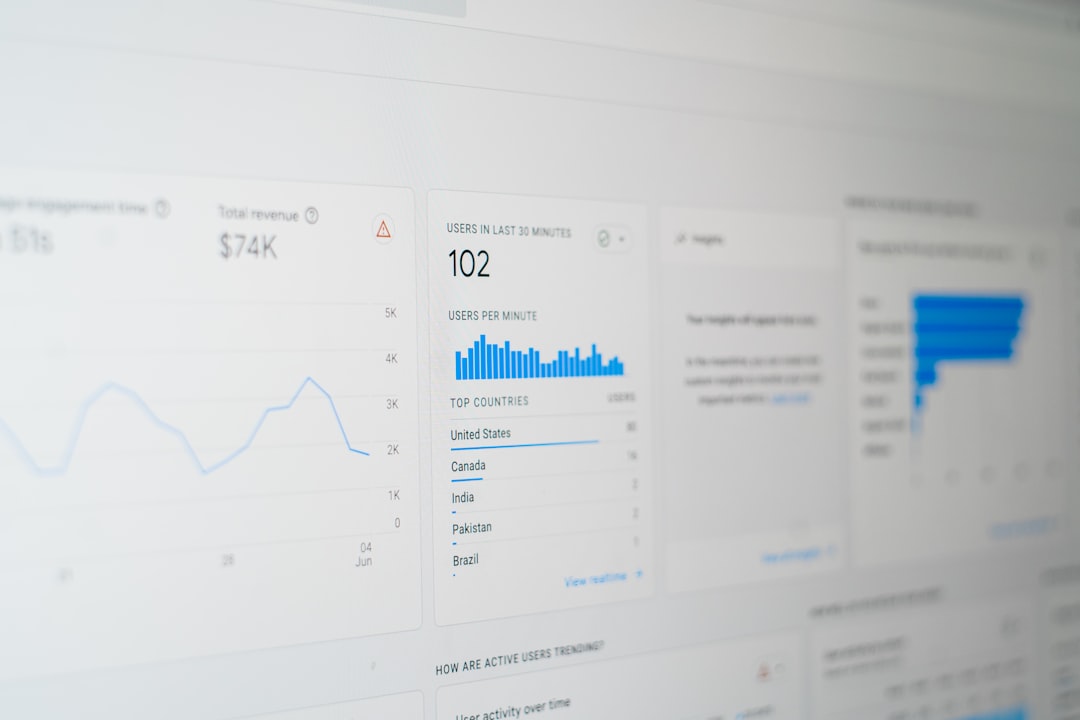
AI can make SEO less overwhelming, but it is not a guaranteed ranking machine. Search engines reward content that is useful, trustworthy, well-structured, and aligned with user intent. A plugin can suggest improvements, but humans still need to verify facts, add expertise, and make sure the content genuinely answers the searcher’s question.
Balancing Automation with Human Judgment
The strongest AI workflows combine automation with editorial control. Let AI generate starting points, but do not publish blindly. Review chatbot responses, check SEO recommendations, and inspect generated images. This is especially important for industries involving finance, healthcare, law, safety, or technical instructions.
AI may sound confident even when it is wrong. It can also produce generic content if given weak prompts. To get better results, provide clear instructions, examples, brand guidelines, audience details, and context. The more specific your input, the more useful the output becomes.
Choosing the Right AI WordPress Plugins
Before installing any AI plugin, consider what problem you want to solve. A site with weak visuals may benefit most from image generation. A service business with many repeated questions may need a chatbot. A blog with hundreds of posts may get the highest return from AI SEO tools.
When comparing plugins, look for:
- Ease of use: The interface should fit naturally into your WordPress workflow.
- Compatibility: Make sure it works with your theme, page builder, hosting setup, and other plugins.
- Performance impact: Avoid tools that slow your site or load unnecessary scripts on every page.
- Customization: You should be able to adjust tone, style, prompts, display behavior, and settings.
- Privacy and data handling: Understand what data is sent to external AI services.
- Support and updates: Choose plugins that are actively maintained and well documented.
- Pricing model: Some plugins charge monthly fees, usage credits, or API costs.
It is also smart to test AI plugins on a staging site before using them on a live website. This helps you check design conflicts, loading speed, and output quality without risking your public pages.
Practical Workflow Ideas
To get the most value, think of AI plugins as part of a larger publishing system. For a blog post, you might use an AI SEO plugin to create a content brief, write the article yourself or with AI assistance, generate a featured image, add alt text, optimize metadata, and then let a chatbot answer follow-up questions from readers. Each plugin supports a specific stage of the visitor journey.
For an ecommerce site, AI could help generate product descriptions, produce promotional graphics, answer shipping questions, recommend products, and optimize category pages. For a local service business, AI can create location-specific page suggestions, manage appointment questions, and improve FAQ schema.
Potential Risks to Watch
AI plugins are powerful, but they introduce risks if used carelessly. Too many plugins can slow down your site. Poorly configured chatbots can give incorrect information. AI-generated SEO content can become repetitive or thin. Image tools can create visuals that are off-brand or legally questionable if they imitate protected styles too closely.
There are also privacy considerations. If a chatbot collects personal details or an AI tool processes customer information, you need to understand where that data goes and whether your privacy policy covers it. Responsible implementation is part of professional website management.
The Future of AI in WordPress
AI WordPress plugins are likely to become more integrated and more personalized. Instead of separate tools for content, images, chat, and SEO, future systems may combine them into unified assistants that understand your brand, audience, products, and goals. They may suggest when to update old content, create seasonal campaign assets, summarize analytics, or automatically adapt pages for different visitor segments.
Even as these tools improve, the most successful websites will still rely on human direction. AI can generate, recommend, and automate, but your strategy determines what matters. Your experience, values, and understanding of your audience are what turn AI output into meaningful communication.
Final Thoughts
AI WordPress plugins for image creation, chatbots, and SEO can dramatically improve how websites are built and maintained. They help small teams move faster, make content more engaging, and support visitors more effectively. Image plugins provide fresh visuals, chatbot plugins create instant conversations, and SEO plugins make optimization more manageable.
The key is to use AI with intention. Start with one clear goal, choose a reliable plugin, test carefully, and review the results. When AI supports your creativity and expertise rather than replacing them, your WordPress site can become more efficient, more helpful, and more competitive.