
Efficient and coordinated social media management is no longer just a luxury—it’s a necessity for businesses, marketers, and content creators striving to thrive online. With a vast number of platforms, varying posting requirements, and the need to maintain brand consistency, the right tool can make or break your social media strategy. That’s where Loomly comes in.
TL;DR: Loomly is a cloud-based social media management platform designed to help individuals and teams streamline content creation, scheduling, collaboration, and analytics across multiple channels. It stands out thanks to its user-friendly interface, robust planning features, and collaboration tools tailored for teams. Whether you’re a freelancer or managing a large marketing team, Loomly simplifies how you plan and execute social media campaigns. It’s compatible with all major platforms including Facebook, X (formerly Twitter), LinkedIn, Instagram, Pinterest, and YouTube.
What Exactly Is Loomly?
Loomly is a comprehensive social media management tool that enables users to plan, collaborate, and schedule content across a wide array of social media platforms. Launched in 2016 by Thibaud and Noémie Clément, Loomly has rapidly gained popularity, especially among small to mid-sized teams seeking a user-friendly alternative to more complex platforms like Hootsuite or Sprout Social.
At its core, Loomly helps businesses organize and publish content through a clean interface equipped with editorial calendar options, automated posting tools, and insightful performance tracking.
Key Features of Loomly
What sets Loomly apart from its competitors are its streamlined features designed with usability and teamwork in mind. Here are the main features that make Loomly a favorite among social media professionals:
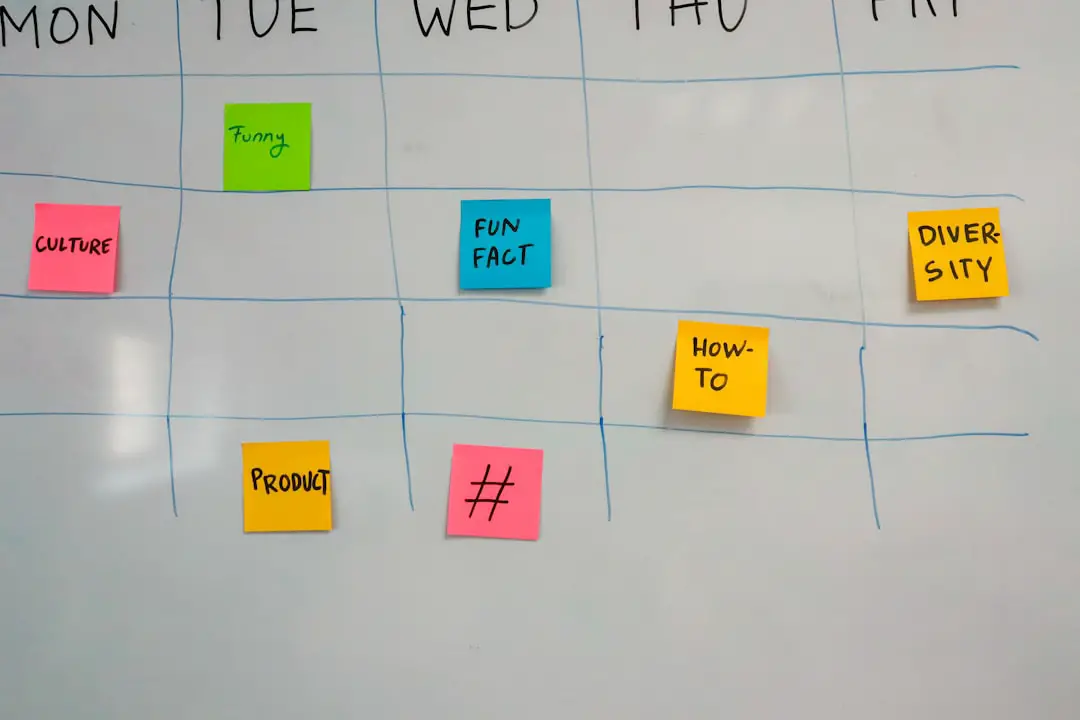
- Content Calendar: The heart of Loomly—plan, preview, and schedule content across all your connected platforms in a visually appealing calendar interface.
- Post Ideas: Loomly suggests content ideas based on trending topics, holidays, and custom RSS feeds—perfect for when you hit a creativity block.
- Post Optimization: Get platform-specific post tips and previews to ensure that your content looks great whether it’s going on Instagram or LinkedIn.
- Collaboration Tools: Built-in workflow features with approval processes make Loomly ideal for teams. You can assign roles, add comments, and track approvals all in one place.
- Scheduling & Automation: Schedule posts in advance and automate publishing across multiple accounts and channels.
- Analytics: Track the performance of your content using metrics like engagement, reach, and clicks to refine your strategy.
- Integration: Loomly integrates with major social media platforms like Facebook, Instagram, Twitter (X), LinkedIn, Pinterest, TikTok, and even Google My Business.
How Loomly Works
Working with Loomly is as straightforward as it gets. After signing up and connecting your social media accounts, you start by creating a calendar. This calendar serves as the hub for a particular brand or campaign.
From there, you can:
- Plan out a content schedule using the drag-and-drop calendar interface.
- Generate post ideas from trending topics and RSS feeds directly within the platform.
- Create posts with visual previews, optimized per platform with tagging, hashtags, and image size suggestions.
- Set approvals and workflows if you’re working with a team or with clients needing sign-offs.
- Schedule and publish—manually or automatically.
- Monitor analytics to gauge performance and adjust your content strategy accordingly.
Who Is Loomly For?
Loomly caters to a wide range of users but is especially advantageous for:
- Small to Medium-Sized Businesses (SMBs): Easy-to-use interface without the high costs of enterprise tools.
- Marketing Teams: Assign user roles, create collaborative workflows, and manage multiple clients or brands from one platform.
- Freelancers and Solopreneurs: Clean UI and built-in content suggestions mean less time planning and more time posting.
- Agencies: Seamless workflow management between team members and external stakeholders like clients.
Benefits of Using Loomly
Using Loomly brings a host of benefits to your social media process. Let’s look at some of the most significant advantages:
- Streamlined Workflow: Manage everything from ideation to publication within one platform—cutting down on time and improving efficiency.
- Collaboration Made Simple: With comment threads, status indicators, and role assignments, collaborating with a team becomes hassle-free.
- Data-Driven Decisions: Clear and digestible analytics help you understand what’s working and what’s not, enabling informed strategic decisions.
- Affordability: Plans start at a reasonable price point compared to competitors, making high-quality social media management accessible to more users.
- User Experience: Minimalist design and simple navigation mean even non-tech-savvy users can quickly get up to speed.
Loomly vs Competitors
When compared to other popular social media tools like Buffer, Sprout Social, and Hootsuite, Loomly holds its ground well, especially in areas like visual post previews, built-in idea generation, and collaborative features.
| Feature | Loomly | Hootsuite | Buffer |
|---|---|---|---|
| Post Previews | Yes | Partial | No |
| Team Collaboration | Built-in & robust | Basic | Limited |
| Content Suggestions | Yes (unique feature) | No | No |
| Pricing | Affordable | Expensive | Moderate |
| Ease of Use | Very beginner-friendly | Moderate | Easy |
Pricing Plans
Loomly offers several pricing tiers depending on the size and needs of your organization:
- Base Plan: $26/month – great for individuals or small teams managing up to 10 social accounts.
- Standard Plan: $59/month – adds advanced analytics and custom roles.
- Advanced and Premium Plans: Starting at $129/month – tailored for larger teams and include features like custom workflows, audit trails, and priority support.
Loomly also offers a free 15-day trial with no credit card required, so you can explore its features without any risk.
Limitations to Consider
While Loomly earns praise for usability and collaboration, it’s not without limitations:
- No Social Inbox: Unlike tools like Hootsuite, Loomly doesn’t include a unified social inbox for replying to comments or DMs from one place.
- Limited Integrations: While Loomly supports all major social platforms, it doesn’t integrate deeply with email marketing tools or CRM systems.
- Mobile Experience: Though it has a mobile app, some advanced features are more intuitive on desktop.
Final Thoughts
If you’re in the market for a sleek, affordable, and team-friendly social media management tool, Loomly deserves a top spot on your shortlist. From content ideation to scheduling and analytics, it packages simplicity and power in a way that few tools manage to do.
While power users looking for deep integrations or a built-in customer response system may find it lacking, Loomly excels for content-focused teams that need a reliable, no-fuss solution to keep their social media presence organized and impactful.
With its continual updates and user-first philosophy, Loomly is well-poised to grow alongside your business. Whether you’re just starting out or managing multiple brands, this platform delivers a