Instagram is one of the most widely-used social media platforms globally, with over a billion users sharing moments from their lives every day. Whether you’re creating a new account or managing an existing one, your profile picture is often the first impression you give. But what if you simply want to reset it back to Instagram’s default image?
TL;DR
If you want to revert to Instagram’s default profile picture — the generic person silhouette — there isn’t a direct “reset” button. Instead, you need to remove your current profile picture entirely. Instagram doesn’t save previous avatars or automatically revert to the default, but by removing your photo manually, the platform will display the default placeholder. This guide will walk you through the safe and effective steps to do this on mobile and desktop, ensuring your profile maintains a clean and professional appearance.
Why Would Someone Use the Default Profile Picture?
There are several legitimate reasons why someone might want to use the default Instagram profile picture:
- Privacy: Some users prefer not to display a photo for security or anonymity reasons.
- Minimalism: A blank profile picture might be part of a minimalist branding strategy.
- Temporary Deactivation: When taking a break from Instagram, removing identifying visuals can signal inactivity.
- Starting Fresh: During the process of rebranding or restarting an account from scratch, resetting the profile picture can be symbolic.
Whatever your reason, Instagram does not currently offer a one-click option to return to the original default avatar. However, by following a few simple steps, you can manually achieve this look.
What is Instagram’s Default Profile Picture?
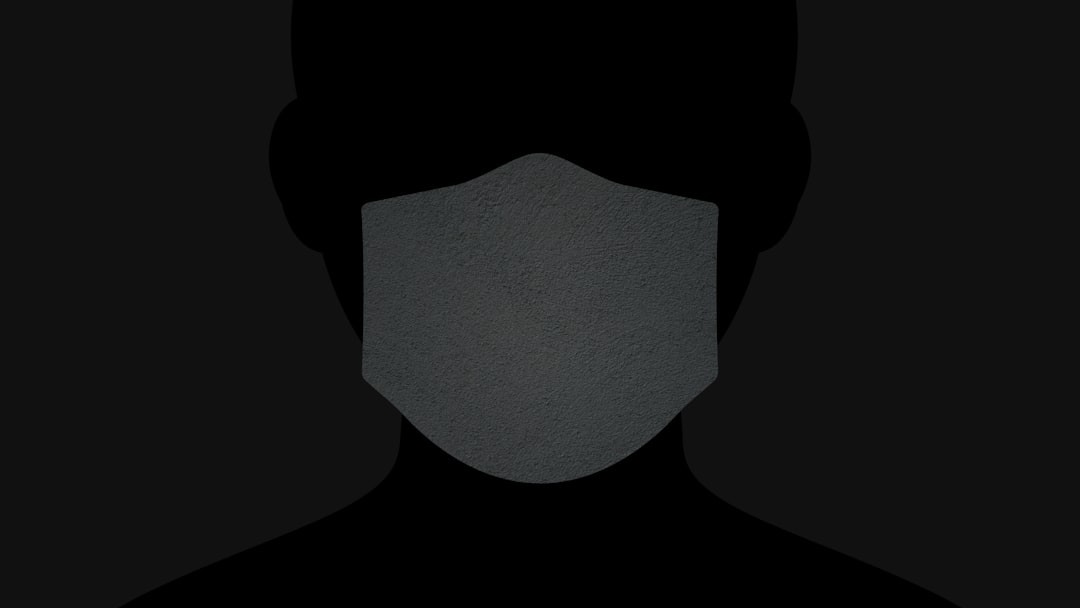
Instagram’s default profile image is a generic placeholder — a silhouette of a person against a light-colored circle. It appears when a user signs up for the first time and hasn’t uploaded a profile photo yet.
This image is not stored as a file in your profile. Once you upload a personal picture, it replaces the placeholder. If you delete the personal image later, the system automatically reverts to this default.
How to Remove Your Profile Picture in the Instagram App
The quickest way to default to the Instagram placeholder profile image is by removing your current profile photo. Follow these steps using the Instagram mobile application:
- Open the Instagram app on your mobile device and log into your account.
- Go to your Profile by tapping the profile icon in the bottom-right corner of the screen.
- Tap “Edit Profile.”
- Tap your current profile photo at the top.
- Select “Remove Profile Photo.”
After confirming the removal, Instagram will automatically display the default circular silhouette.
Note: If you’d previously linked your account to Facebook or another third-party service with auto-sync settings, your profile picture may reload from there. You’ll need to make sure syncing is disabled if you want the image to remain blank.
How to Remove a Profile Picture on Instagram via Desktop
If you’re using a desktop device, the process is slightly different but equally effective:
- Go to instagram.com in your web browser and log in.
- Click on your profile icon in the top-right corner of the screen.
- Select “Profile” from the drop-down menu.
- Click on “Edit Profile.”
- Hover over your profile photo and click “Remove Photo” or “Change Profile Photo”, and then choose to remove it.
Once completed, Instagram will revert to showing the default image for your account.
Important Considerations Before Removing Your Profile Picture
Before you make this change, here are a few things to keep in mind:
- Brand Impact: If you’re managing a business or influencer profile, using the default image may give an impression of inactivity or lack of professionalism.
- Recognition Issues: Removing your image can make it more difficult for friends or followers to confirm they’re engaging with your authentic profile.
- Compliance With Guidelines: Ensure your account remains within Instagram’s community standards even when altering your profile appearance.
In most cases, especially for personal users or those taking a break, reverting to the default avatar is harmless. Just be sure it aligns with your goals for the platform.
Workaround: Using the Default Image Manually
If the “Remove Profile Photo” option is not available due to platform changes or technical glitches, another approach is to manually upload an image of the default avatar.
Here’s how:
- Search online for a high-quality version of Instagram’s default profile placeholder.
- Save the image to your device or computer.
- Upload it as your profile picture using the “Change Profile Photo” option on mobile or desktop.
This method allows you to mimic the default look even if Instagram’s native features are temporarily unavailable or restricted on your device.
Should Businesses or Creators Use the Default Avatar?
In general, businesses, influencers, or creators should avoid using the default profile icon. Visual branding plays a significant role in how followers perceive your identity and engagement. A faceless profile may signal neglect or inconsistency, potentially costing you followers or customer trust.
However, there may be exceptions during account transitions, rebranding phases, or security measures. During those periods, be sure to communicate transparently with your followers if branding or appearance is being updated.
Best Practices Post-Removal
Once you’ve removed your profile picture, consider taking the following steps to maintain visibility and connection with your audience:
- Pin Key Posts: Use Instagram’s pin feature to highlight top content at the top of your feed.
- Update Your Bio: Provide concise, relevant info so people can still identify you.
- Use a Catchy Username: A recognizable handle helps users find you even without a profile image.
- Engage Actively: Stay connected by liking, commenting, and continuing to post content as usual.
Conclusion
Reverting to Instagram’s default profile photo is a simple but deliberate action. Although Instagram does not provide a clear “reset” option, manually removing your photo or uploading the default image achieves the same goal.
Whether you’re seeking privacy, starting fresh, or transitioning into a new phase, using the default profile image is entirely acceptable — as long as it’s done intentionally. Be aware of its implications on your interactions and visibility, especially if you’re utilizing Instagram to build a brand or business.
In all cases, following the steps outlined above ensures your account remains professional, accessible, and aligned with your personal or strategic intent.