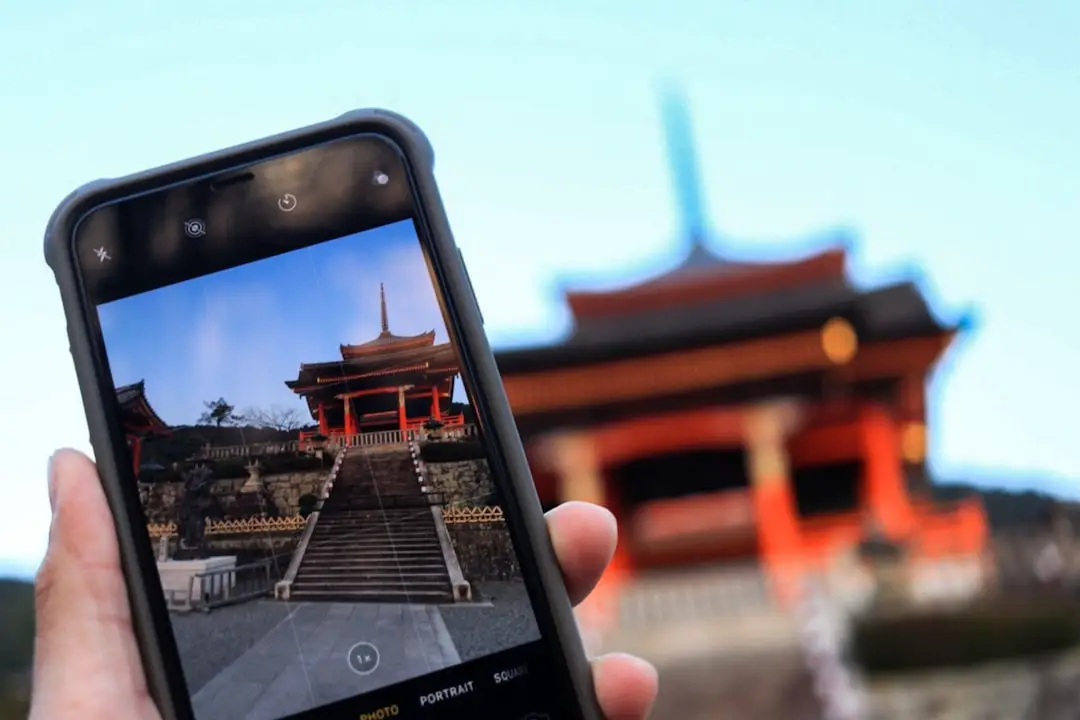
In a world where travel, global business, and multicultural communities are part of daily life, language barriers no longer need to slow conversations down. Mobile translation apps have transformed smartphones into powerful communication tools, allowing users to translate text, voice, and even images instantly. Whether someone is ordering food abroad, attending an international conference, or connecting with friends overseas, the right app can make interactions smooth and stress-free.
TLDR: Mobile translation apps make global communication fast and accessible. The best apps offer real-time voice translation, camera-based text recognition, offline capabilities, and broad language support. Top options include Google Translate, Microsoft Translator, iTranslate, DeepL, and TripLingo, each designed for different needs. Choosing the right app depends on features such as accuracy, offline access, and specialized tools.
Below is a carefully selected list of the 11 best mobile translation apps that make communication faster, simpler, and more reliable.
1. Google Translate
Google Translate remains one of the most widely used translation apps worldwide. Supporting over 100 languages, it allows users to translate text, speech, handwriting, and images.
- Real-time voice translation
- Camera translation for signs and menus
- Offline language packs
- Free to use
Its conversation mode makes it especially helpful for travelers navigating new environments.
2. Microsoft Translator
Microsoft Translator excels in group settings and business environments. It allows multiple participants to join a translated conversation across devices.
- Text, voice, and image translation
- Conversation codes for group chats
- Offline functionality
- Integration with Microsoft products
This app is ideal for international meetings and collaborative projects.
3. iTranslate
iTranslate combines an intuitive interface with powerful translation engines. It supports text and voice translations and includes a built-in dictionary and phrasebook.
- Over 100 languages
- Offline mode (premium)
- Voice-to-voice conversations
- Website translation feature
The app is popular among frequent travelers looking for a user-friendly option.
4. DeepL Translator
DeepL is well-known for its exceptional translation accuracy, particularly for European languages. Many professionals prefer it for business documents and formal writing.
- Highly accurate AI translations
- Text refinement suggestions
- Formal and informal tone options
- Clean, minimal interface
Although it supports fewer languages than some competitors, its quality often surpasses alternatives.
5. TripLingo
TripLingo is designed specifically for travelers. Beyond translation, it provides cultural tips, safety tools, and essential travel phrases.
- Slang and formal phrase options
- Voice translator
- Wi-Fi dialer
- Travel-focused features
This app is particularly useful for navigating unfamiliar regions respectfully and safely.
6. SayHi
SayHi focuses on simplicity and voice translation. Users speak into the device, and the app quickly provides a translated spoken response.
- Natural voice recognition
- Adjustable speech speed
- Wide language support
- Free to download
It works well for spontaneous conversations and quick interactions.
7. Papago
Developed by Naver, Papago is especially strong in Asian languages, including Korean, Japanese, and Chinese.
- Text, voice, and image translation
- Website translation
- Offline mode
- Handwriting support
It is a top choice for users traveling within East Asia.
8. Reverso Translate and Learn
Reverso stands out by focusing on contextual translation and language learning.
- Real-world usage examples
- Grammar suggestions
- Flashcard features
- Voice translation
This makes it ideal for students who want to improve language skills while translating.
9. Translate Now
Translate Now combines speed with usability. It offers text and voice translation with Apple Watch integration.
- Fast processing
- Phrasebook feature
- Offline mode (premium)
- Cross-device compatibility
Its sleek mobile interface appeals to users who value design simplicity.
10. Waygo
Waygo specializes in translating Asian languages using camera input. It works offline, making it ideal for travelers without data access.
- Instant camera translation
- No internet required
- Food and menu-focused features
- Straightforward navigation
Waygo is particularly helpful when deciphering restaurant menus abroad.
11. iHandy Translator (Voice Translator)
This app focuses on quick voice translations with a phrasebook for common expressions.
- Voice-to-voice communication
- Phrase categories
- Offline features
- Simple interface
It is a practical choice for everyday conversations during short trips.
Comparison Chart
| App | Voice Translation | Camera Translation | Offline Mode | Best For |
|---|---|---|---|---|
| Google Translate | Yes | Yes | Yes | All-purpose use |
| Microsoft Translator | Yes | Yes | Yes | Business meetings |
| iTranslate | Yes | Limited | Premium | Travelers |
| DeepL | Limited | No | Limited | Professional writing |
| TripLingo | Yes | No | Yes | Travel and culture |
| Papago | Yes | Yes | Yes | Asian languages |
| Waygo | No | Yes | Yes | Menu translation |
What to Look for in a Mobile Translation App
When choosing the right app, users should evaluate several important criteria:
- Language Support: Ensure the app supports both the source and target languages.
- Offline Capability: Essential for travel without reliable internet access.
- Voice Recognition Accuracy: Crucial for natural conversations.
- Camera Functionality: Helpful for reading menus, signs, and printed materials.
- User Interface: A clean, intuitive design speeds up communication.
- Security and Privacy: Important for business or sensitive translations.
For business professionals, accuracy and document formatting matter most. For travelers, speed and offline access may be more critical.

The Future of Mobile Translation
With advances in artificial intelligence and neural machine learning, translation apps continue to improve rapidly. Real-time augmented reality translation, context awareness, and adaptive voice recognition are becoming more sophisticated. Soon, seamless multilingual communication may feel almost effortless, reducing cultural and linguistic barriers worldwide.
These 11 mobile translation apps represent the best tools currently available for fast and easy communication. Each serves slightly different needs, but all contribute toward making global interaction smoother and more accessible.
Frequently Asked Questions (FAQ)
- Which mobile translation app is the most accurate?
DeepL is widely recognized for its exceptional accuracy in supported languages, especially for professional and formal text. However, Google Translate offers broader language coverage. - Do translation apps work offline?
Many apps such as Google Translate, Microsoft Translator, Papago, and Waygo offer offline mode. Users typically need to download language packs in advance. - Are translation apps free?
Most apps provide free basic features. Some, like iTranslate and Translate Now, offer premium subscriptions for offline access and advanced tools. - Which app is best for travel?
Google Translate and TripLingo are strong choices for travelers due to camera translation and cultural guidance features. - Can translation apps handle real-time conversations?
Yes. Apps like SayHi, Google Translate, and Microsoft Translator provide real-time voice-to-voice conversation modes. - Are translation apps safe for business use?
Many apps use secure servers, but professionals handling sensitive documents should review privacy policies carefully and consider premium versions for enhanced security.