
Ideas are easy to capture—but much harder to execute. In a world flooded with inspiration, the real challenge is transforming scattered notes into structured, actionable plans. Modern note-taking apps are no longer just digital notebooks; they are dynamic productivity systems designed to organize thoughts, prioritize tasks, and move projects forward. The right app can bridge the gap between brainstorming and measurable progress.
TLDR: The best note-taking apps today do far more than store text. They combine organization, task management, collaboration, and automation features to help turn ideas into clear, actionable plans. Tools like Notion, Evernote, OneNote, Obsidian, and ClickUp each offer unique strengths depending on your workflow. Choosing the right one depends on how you think, plan, and execute.
Let’s explore how modern note-taking platforms turn raw ideas into structured outcomes—and which tools are best suited for different types of thinkers and teams.
Why Traditional Notes Aren’t Enough
Writing down an idea is a great first step. But without structure, categorization, or follow-through, most ideas remain buried in notebooks or forgotten digital pages.
Actionable planning requires:
- Clarity – Clear organization and hierarchy
- Context – Linked references and related materials
- Prioritization – Task management capabilities
- Accountability – Reminders or collaboration tools
- Visualization – Views such as boards, calendars, or timelines
Modern note-taking apps integrate these features directly into their ecosystems, allowing ideas to evolve naturally into tasks, projects, and outcomes.
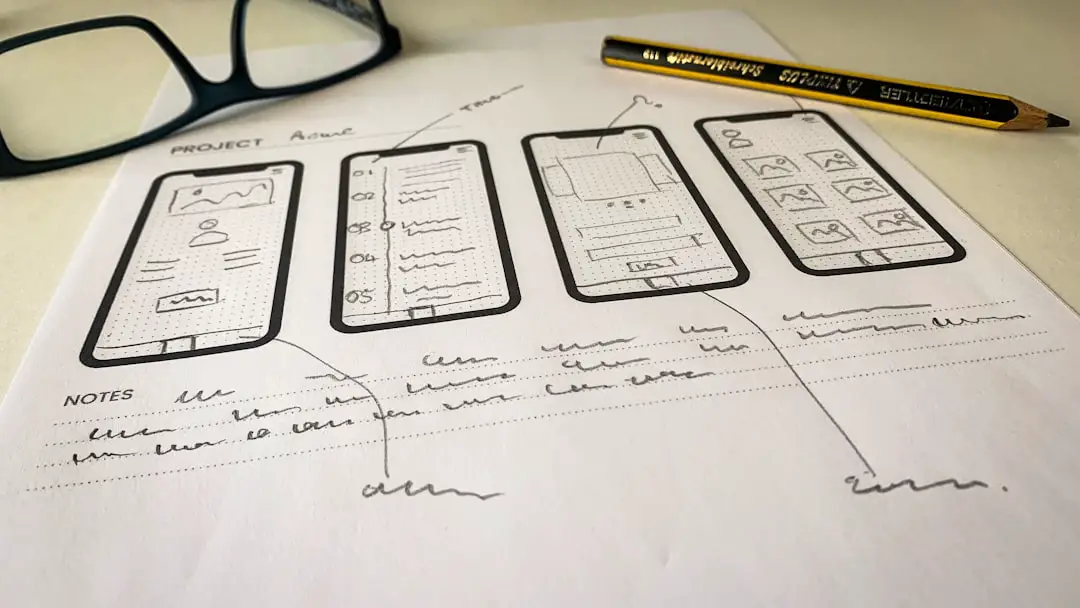
Key Features That Turn Ideas Into Plans
Before comparing tools, it’s helpful to understand which features actually make ideas actionable.
1. Linked Notes and Knowledge Graphs
Apps like Obsidian allow users to interconnect notes. This builds a web of ideas rather than isolated documents. Linking concepts creates a natural pathway from brainstorming to structured strategy.
2. Built-in Task Management
The ability to convert a sentence into a checklist item or assign it to a deadline is powerful. Many modern apps blur the line between notes and project management tools.
3. Templates and Frameworks
Pre-built templates for meeting notes, project planning, goal tracking, and content calendars reduce friction between ideation and execution.
4. Collaboration Tools
Shared workspaces, comments, and task assignments ensure ideas don’t stay siloed. For teams, this is essential.
5. Multi-View Organization
Board views, calendar views, and timelines give ideas spatial structure. Seeing a plan visually often clarifies next steps.
Top Note-Taking Apps That Drive Action
Here are five popular tools that excel at transforming thoughts into execution.
1. Notion
Best for: Custom workflows and integrated project planning
Notion operates as a flexible workspace combining notes, databases, task boards, and collaboration tools. Its modular system allows users to convert ideas into structured plans within the same environment.
Why it works:
- Drag-and-drop building blocks
- Custom databases for projects
- Kanban boards and calendar views
- Deep linking between pages
For example, a brainstorming session can live on one page, with linked tasks automatically stored in a project tracker database.
2. Evernote
Best for: Organized note storage with light task integration
Evernote remains a strong option for capturing and organizing ideas. With improved task features and calendar integration, it has evolved beyond simple note storage.
Strengths:
- Robust search functionality, including text in images
- Notebook stacks for organization
- Integrated reminders
- Web clipping for research-heavy workflows
While not as customizable as Notion, Evernote excels at helping users quickly retrieve and act on stored information.
3. Microsoft OneNote
Best for: Freeform brainstorming with structured organization
OneNote mimics a physical notebook system with sections and pages, allowing users to brainstorm freely while maintaining order.
Standout features:
- Flexible canvas layout
- Strong integration with Microsoft 365
- Tag-based task tracking
- Audio and handwriting support
OneNote is particularly useful for students and professionals already embedded in the Microsoft ecosystem.
4. Obsidian
Best for: Deep thinkers and knowledge mapping
Obsidian focuses on linking ideas using markdown files stored locally. Its knowledge graph view visually displays how ideas connect.
Why power users love it:
- Bi-directional linking
- Graph visualization
- Custom plugins
- Full data ownership
Writers, researchers, and strategists benefit from seeing how ideas evolve over time.

5. ClickUp
Best for: Teams needing strong execution tools
ClickUp is more project-management-driven but includes rich note-taking capabilities. It’s designed to convert ideas into assigned tasks almost instantly.
Execution-driven features:
- Docs connected directly to tasks
- Goal tracking and milestones
- Time tracking
- Multiple project views
For teams focused on deliverables, ClickUp minimizes the gap between discussion and execution.
Comparison Chart
| App | Best For | Task Management | Customization | Collaboration |
|---|---|---|---|---|
| Notion | All-in-one workspace | Advanced | Very High | Strong |
| Evernote | Organized note storage | Moderate | Medium | Moderate |
| OneNote | Freeform structured notes | Basic to Moderate | Medium | Strong (Microsoft users) |
| Obsidian | Knowledge linking | Plugin-based | High | Limited (primarily individual) |
| ClickUp | Execution-focused teams | Advanced | High | Very Strong |
How to Choose the Right Tool
Selecting an app depends on how you process ideas.
Ask Yourself:
- Do I think visually or linearly?
- Do I work solo or in a team?
- Do I need strong deadline tracking?
- Do I want complete customization?
- How important is simplicity?
If you thrive on structure and flexibility, Notion may be ideal. If deep intellectual mapping appeals to you, Obsidian might feel natural. If execution speed matters most, ClickUp could be the best fit.
From Idea to Action: A Practical Workflow Example
Here’s how a modern workflow might look using one of these apps:
- Capture the Idea: Write it in your inbox or quick-note section.
- Refine: Add context, supporting links, and clarifications.
- Break Into Tasks: Convert sections into actionable steps.
- Assign Deadlines: Add schedules or milestones.
- Track Progress: Review via board or timeline view.
- Review and Reflect: Update notes based on outcomes.
This structured loop transforms creative sparks into strategic plans.
The Psychological Advantage
There’s also a cognitive benefit to structured note-taking. When ideas are systematized:
- Decision fatigue decreases
- Anxiety about forgotten tasks diminishes
- Focus improves
- Momentum builds
A fragmented mind often leads to fragmented execution. An organized digital workspace reinforces clarity and intentional progress.
Final Thoughts
In today’s fast-paced environment, note-taking tools must do more than store information—they must activate it. The best apps seamlessly integrate brainstorming, structure, and execution into one fluid process.
Whether you’re a student mapping research, an entrepreneur planning growth, or a team managing complex projects, the right platform can turn scattered inspiration into measurable achievement. Start by understanding your workflow style, test a few platforms, and commit to building a structured system.
Because ultimately, ideas alone don’t create results—executed plans do.