Data is one of the most valuable assets any individual or organization possesses. From financial records and customer databases to family photos and critical project files, losing information can have severe consequences. Backup and recovery software like Acronis plays a central role in protecting this data, ensuring business continuity and minimizing downtime in the face of hardware failure, cyberattacks, human error, or natural disasters.
TLDR: Backup and recovery software such as Acronis protects data by creating secure copies that can be restored after loss, corruption, or cyber incidents. These tools combine automated backups, advanced encryption, ransomware protection, and rapid recovery options. They are critical for individuals, small businesses, and large enterprises alike. Choosing the right solution ensures resilience, compliance, and operational continuity.
In today’s threat landscape, relying solely on on-device storage or manual backups is no longer sufficient. Modern backup and recovery platforms offer automated, intelligent, and highly secure systems that continuously safeguard data across physical, virtual, and cloud environments.
The Importance of Reliable Backup and Recovery
Data loss happens more often than many realize. The common causes include:
- Hardware failures – hard drive crashes, power surges, and aging components.
- Ransomware and malware attacks – encrypted systems demanding payment for data release.
- Human error – accidental deletion or overwriting of critical files.
- Natural disasters – floods, fires, or earthquakes damaging infrastructure.
- Software corruption – failed updates or system crashes.
Without a robust backup strategy, recovery may be slow, incomplete, or even impossible. This is where enterprise-grade solutions such as Acronis and similar platforms provide measurable value.

Core Features of Backup and Recovery Software
Professional backup software goes far beyond basic file copying. Comprehensive solutions integrate multiple protective layers and recovery mechanisms.
1. Full Image Backups
Disk imaging technology creates a complete snapshot of a system, including the operating system, applications, settings, and files. In the event of catastrophic failure, users can restore the entire environment rather than reinstalling everything manually.
2. Incremental and Differential Backups
To optimize storage and reduce backup time, modern tools use:
- Incremental backups – saving only changes made since the last backup.
- Differential backups – saving changes since the last full backup.
This significantly improves efficiency while maintaining restoration flexibility.
3. Cloud and Hybrid Storage
Advanced solutions support hybrid backup strategies, combining local storage with secure cloud repositories. This approach ensures:
- Fast local recovery for minor incidents.
- Offsite protection against physical disasters.
- Scalable storage without large hardware investments.
4. Ransomware Protection
Many modern backup platforms include active defense mechanisms that monitor suspicious file behavior. If ransomware attempts to encrypt files, the system can block the process and automatically restore affected data from a clean backup.
5. Rapid Bare-Metal Recovery
Bare-metal recovery allows restoration of a complete system onto new hardware, even if the original equipment is destroyed. For organizations, this capability significantly reduces recovery time objectives (RTOs).
How Backup and Recovery Software Works
Understanding the technical workflow helps clarify why these systems are so effective.
Typically, the process includes:
- Data selection – administrators define folders, drives, applications, or entire systems to protect.
- Scheduling automation – backups run at predefined intervals without manual intervention.
- Encryption – data is encrypted both in transit and at rest.
- Storage allocation – backups are stored locally, in the cloud, or in both locations.
- Validation and testing – recovery simulations ensure backup integrity.

In enterprise environments, centralized management consoles allow IT teams to monitor backup status across hundreds or thousands of devices.
Benefits for Businesses
Organizations operate in an environment where downtime directly translates to financial loss and reputational damage. Backup and recovery solutions provide measurable operational advantages.
Business Continuity
Reliable backups ensure that operations resume quickly after incidents. This continuity protects revenue streams and customer trust.
Regulatory Compliance
Industries such as healthcare, finance, and legal services must adhere to strict data protection regulations. Backup systems help maintain:
- Secure storage compliance.
- Data retention policies.
- Auditable recovery logs.
Reduced Downtime
Advanced recovery tools drastically shrink RTOs and recovery point objectives (RPOs), minimizing production interruption.
Protection Against Cyber Threats
Integrated anti-malware scanning and behavior-based threat detection provide an additional defensive layer beyond traditional antivirus tools.
Benefits for Individuals and Small Businesses
While enterprises face significant risks, individuals and small businesses are equally vulnerable, often with fewer resources to recover from data loss.
Backup software provides:
- Peace of mind – photos, projects, and financial records remain safe.
- Automated protection – no need for manual copying to external drives.
- Affordable disaster recovery – enterprise-grade protection without large infrastructure costs.
For freelancers and small operators, data loss can halt operations completely. A reliable backup solution ensures continuity even after hardware theft or malfunction.
Best Practices for Implementing Backup and Recovery
Even the most advanced software must be properly configured to deliver optimal protection. Experts recommend following the 3-2-1 backup rule:
- Keep 3 copies of your data.
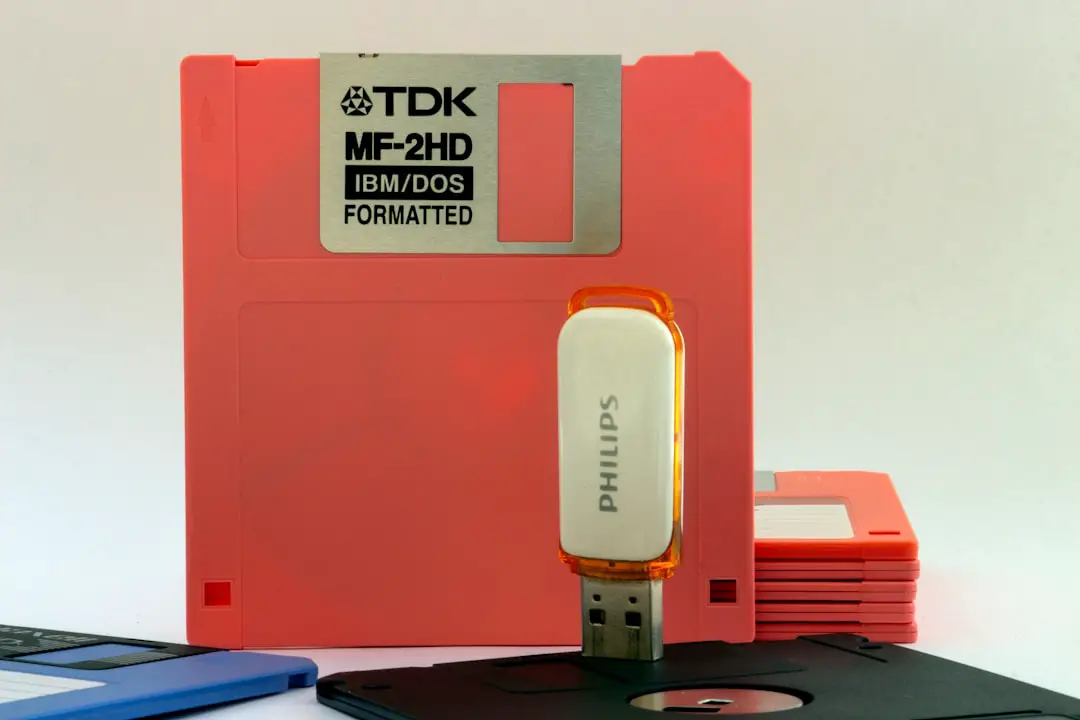
- Store backups on at least 2 different media types.
- Maintain 1 offsite copy.
Additional best practices include:
- Testing recovery procedures regularly.
- Encrypting all backup archives.
- Restricting administrative access.
- Implementing multi-factor authentication.
- Monitoring logs for suspicious activity.
Cloud vs. On-Premises Backup
Organizations often evaluate whether to rely on cloud-based systems, on-premises infrastructure, or hybrid models.
Cloud-Based Backup
Advantages:
- Scalability.
- No hardware maintenance.
- Geographic redundancy.
Considerations:
- Internet bandwidth dependency.
- Subscription-based costs over time.
On-Premises Backup
Advantages:
- Full control over hardware.
- Faster local recovery.
Considerations:
- Hardware investment.
- Physical disaster vulnerability.
Most experts recommend a hybrid approach that combines rapid local restores with secure cloud redundancy.
Security and Encryption Standards
Trustworthy backup software uses strong encryption standards such as AES-256 to protect sensitive information. Data should be encrypted:
- In transit – using secure protocols like TLS.
- At rest – within storage media and cloud servers.
Additionally, role-based access controls ensure only authorized personnel can manage or restore backups.
Evaluating a Backup Solution
When selecting software similar to Acronis, decision-makers should assess:
- Compatibility with operating systems and virtual environments.
- Recovery speed and performance benchmarks.
- Security certifications and compliance standards.
- Scalability for future growth.
- Technical support quality and service-level agreements.
Vendor reliability and a strong track record in cybersecurity and data protection are essential indicators of trustworthiness.
The Strategic Value of Data Resilience
Backup and recovery are no longer optional IT conveniences. They are strategic pillars of organizational resilience. In an environment marked by sophisticated ransomware campaigns and increasing regulatory scrutiny, proactive data protection is both a defensive necessity and a competitive advantage.
Organizations that implement robust backup strategies can respond confidently to incidents, maintain operational integrity, and reassure customers that their data is safeguarded. Individuals gain similar peace of mind, knowing their irreplaceable digital assets remain secure.
Ultimately, backup and recovery software like Acronis represents more than storage—it represents trust, preparedness, and long-term stability. Investing in a comprehensive, intelligently designed solution ensures that when disruption occurs, recovery is not a crisis, but a controlled and efficient process.