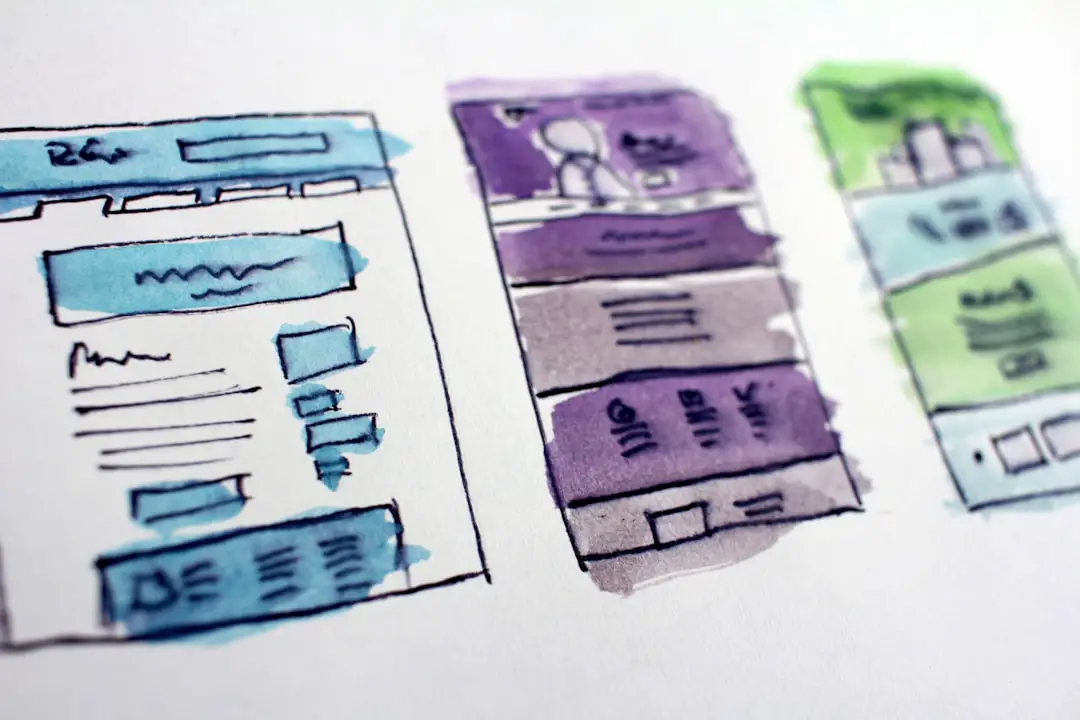
Over the past decade, browser-based design tools have reshaped how individuals and businesses create visual content. What once required expensive software and professional training can now be accomplished in minutes with drag-and-drop editors and ready-made templates. While Canva has become one of the most recognizable names in this space, it is far from the only platform offering powerful, accessible design capabilities.
TL;DR: Canva may dominate the online design market, but several powerful competitors offer compelling alternatives depending on your needs. Platforms like Adobe Express, Visme, VistaCreate, Snappa, and Figma each bring unique strengths in areas such as branding, collaboration, advanced editing, and UI design. Choosing the right tool depends on whether you prioritize ease of use, professional features, marketing automation, or team collaboration. This guide breaks down the top contenders and their standout capabilities.
The rise of design democratization has fueled innovation across the industry. Businesses need social graphics, presentations, ads, infographics, and brand kits at scale — and they want them quickly. Below, we explore some of the top design platforms that compete with Canva and analyze what sets them apart.
1. Adobe Express
Adobe Express (formerly Adobe Spark) is perhaps the most recognizable competitor in terms of brand power. Backed by Adobe’s creative ecosystem, it combines beginner-friendly functionality with access to professional-grade assets.

Key strengths:
- Integration with Adobe Creative Cloud
- Access to Adobe Stock photos and fonts
- Advanced typography controls
- Brand kits and design asset libraries
Where Canva focuses heavily on ease of use, Adobe Express leans into creative flexibility. Users can tap into Photoshop-grade assets while maintaining a simplified workflow. For businesses already invested in the Adobe ecosystem, this platform makes brand consistency seamless.
Best for: Marketing teams and creators who want more advanced tools but still value drag-and-drop simplicity.
2. Visme
Visme stands out for its emphasis on presentations, data visualization, and interactive content. While Canva supports basic charts and slides, Visme pushes further into dynamic and animated visual storytelling.
Key strengths:
- Advanced infographics and data widgets
- Interactive presentations
- Branded content locking for teams
- Robust analytics tracking
One of Visme’s most compelling features is its data-driven focus. Users can create infographics, reports, and pitch decks with built-in analytics that measure engagement. This makes it particularly attractive for enterprises and consulting professionals.
Best for: Data-heavy businesses, educators, and corporate teams that rely heavily on presentations.
3. VistaCreate
VistaCreate (formerly Crello) offers an experience remarkably similar to Canva but distinguishes itself with a strong focus on animated content and social media storytelling.

Key strengths:
- Large library of animated templates
- Affordable pricing tiers
- Simple drag-and-drop editor
- Background removal tools
VistaCreate’s interface feels intuitive from the start, making it ideal for small businesses and influencers who need quick turnaround designs. The animation capabilities are surprisingly robust for a tool in this category, giving creators more motion-driven options than many competitors.
Best for: Entrepreneurs, freelancers, and content creators focused on visual social media marketing.
4. Snappa
Snappa positions itself as a fast and distraction-free design platform. While it may not have Canva’s massive template library, it excels in speed and simplicity.
Key strengths:
- Streamlined user experience
- Pre-sized templates for ads and social media
- Royalty-free stock photo integration
- Quick resizing features
Snappa removes unnecessary complexity. This makes it appealing to marketers who need to produce banner ads, blog graphics, and promotional materials efficiently without navigating dozens of feature layers.
Best for: Digital marketers and bloggers who prioritize speed over advanced customization.
5. Figma
Although Figma is often described as a UI/UX design tool rather than a Canva competitor, the lines are increasingly blurring. Figma’s collaborative, browser-based environment makes it an appealing option for teams designing digital products and marketing assets alike.

Key strengths:
- Real-time collaboration
- Advanced vector editing
- Component-based design systems
- Extensive plugin ecosystem
Figma excels where Canva is limited: precision and scalability. Design systems, reusable components, and prototyping tools enable teams to build consistent digital products. However, it has a steeper learning curve compared to template-driven tools.
Best for: Product designers, startups, and collaborative digital teams.
Feature Comparison Chart
| Platform | Ease of Use | Best For | Collaboration | Animation | Advanced Design Controls |
|---|---|---|---|---|---|
| Adobe Express | High | Marketing Teams | Strong | Moderate | Strong |
| Visme | Moderate | Data Presentations | Strong | Moderate | Moderate |
| VistaCreate | Very High | Social Media | Basic | Strong | Basic |
| Snappa | Very High | Ads and Blogs | Limited | Basic | Basic |
| Figma | Moderate | UI UX Teams | Excellent | Plugin Based | Excellent |
How to Choose the Right Canva Alternative
Selecting the ideal design platform depends largely on your goals. Ask yourself:
- Are you creating primarily social media graphics?
- Do you need detailed vector control?
- Is team collaboration a priority?
- Will you produce data-heavy presentations?
- Do you require strict brand consistency tools?
If your needs revolve around speed and simplicity, platforms like Snappa or VistaCreate may be sufficient. If you require advanced brand management and asset integration, Adobe Express might be superior. For high-level collaboration and scalable systems, Figma is difficult to beat.
The Future of Online Design Platforms
The competition among Canva alternatives is intensifying, largely due to advances in artificial intelligence and automation. AI-powered background removal, auto-layout adjustments, smart resizing, and generative design features are becoming standard across platforms.
We are also seeing:
- Deeper workflow integrations with marketing platforms
- Expanded template personalization through AI
- Greater emphasis on team-based design systems
- Increased support for motion graphics and short-form video
As design becomes increasingly tied to digital marketing, branding, and product interfaces, no single tool can dominate all use cases. Instead, the market is fragmenting into specialized platforms that excel in particular niches.
Final Thoughts
While Canva remains a powerhouse in accessible graphic design, it is part of a thriving ecosystem of competitive platforms. Adobe Express offers professional-grade flexibility, Visme shines in data-driven storytelling, VistaCreate excels in social media animation, Snappa prioritizes speed, and Figma provides precision collaboration for digital teams.
The best choice ultimately comes down to your objectives, workflow, and technical comfort level. Fortunately, the abundance of powerful alternatives ensures that designers — and non-designers alike — have more creative freedom than ever before.
In a world where visual content drives engagement, understanding the strengths of each platform is not just smart — it is essential.