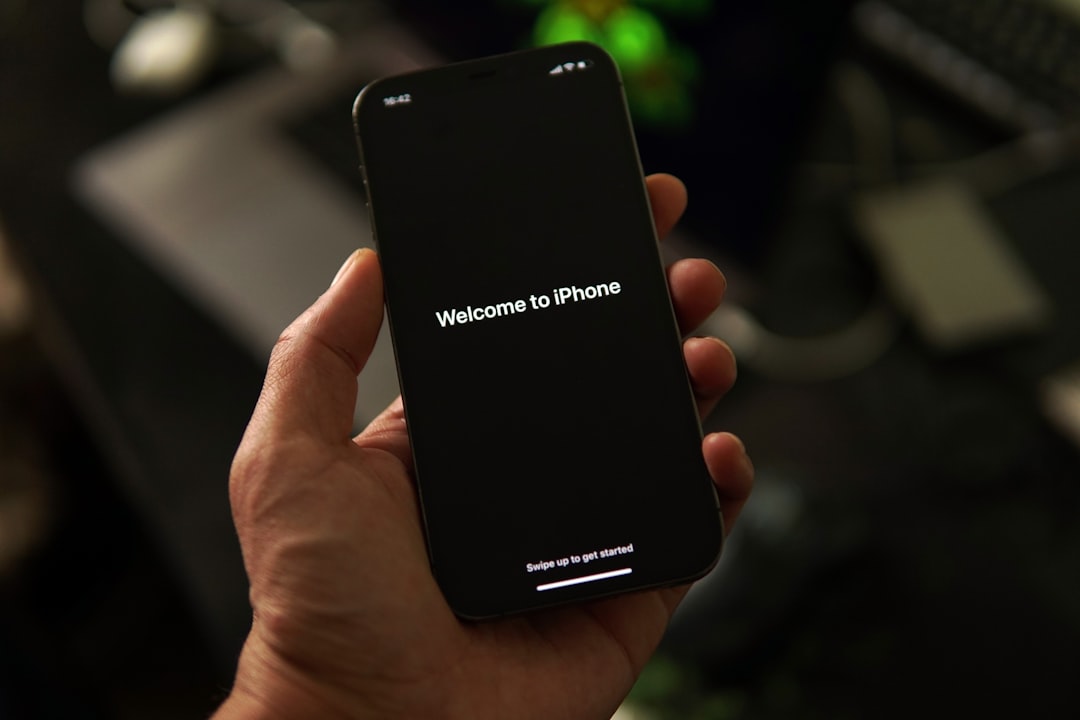
Accidentally performing a factory reset on your iPhone can feel catastrophic. In seconds, photos, messages, contacts, and important documents appear to vanish. For many users, the immediate question is clear and urgent: Is iPhone data recovery after a factory reset actually possible? The answer depends on several critical factors, including backups, timing, and whether data has been overwritten.
TLDR: Yes, iPhone data recovery after a factory reset is possible, but only under specific conditions. If you have an iCloud or iTunes/Finder backup, recovery is typically straightforward. Without a backup, recovery becomes significantly more difficult and often requires specialized software, with limited success. Acting quickly and avoiding new data usage improves your chances of retrieving lost information.
What Happens During a Factory Reset?
A factory reset, also known as Erase All Content and Settings, removes personal data from your device and restores it to its original system state. This process deletes:
- Photos and videos
- Messages (SMS, MMS, iMessage)
- Contacts
- Call history
- Installed apps and app data
- Device settings
However, it is important to understand that deletion does not always mean immediate permanent destruction. In some cases, data remains on the storage medium until overwritten by new data.
Modern iPhones use encryption by default. When you perform a factory reset, the encryption keys protecting the data are destroyed. Without those keys, accessing raw data becomes extremely difficult—even for advanced recovery tools. This is why the presence of backups plays such a decisive role.
Recovery Scenario 1: Restoring from iCloud Backup
If you enabled automatic iCloud backups before the reset, recovery is usually straightforward.
How to Restore from iCloud:
- Turn on your iPhone.
- Follow the setup process until you reach Apps & Data.
- Select Restore from iCloud Backup.
- Sign in with your Apple ID.
- Choose the most relevant backup based on date and size.
Advantages:
- Official Apple-supported method
- Most complete recovery option
- No additional software required
Limitations:
- Requires previously enabled backups
- Must erase current device again if already set up
- Recent data may not be included if backup was outdated
For most users, this is the safest and most effective way to recover data.
Recovery Scenario 2: Restoring from iTunes or Finder Backup
If you regularly synced your iPhone with a Mac or Windows PC, you might have a local backup stored on that computer.
Steps to Restore from Computer Backup:
- Connect the iPhone to the computer used for backup.
- Open Finder (Mac) or iTunes (Windows).
- Select your device.
- Choose Restore Backup.
- Select the appropriate backup file.
Benefits of Local Backups:
- Faster restoration compared to cloud
- No internet required
- Often more comprehensive if encrypted backup was enabled
Important note: Encrypted backups store more sensitive information, including saved passwords and health data. If you created encrypted backups, recovery will be more complete.
Recovery Scenario 3: No Backup Available
This is the most challenging situation. If you performed a factory reset without any backup, recovery becomes uncertain.

Some third-party data recovery tools claim they can retrieve deleted iPhone data after a reset. However, due to iOS encryption, success rates vary significantly. Once encryption keys are removed, accessing raw storage becomes extremely complex.
Commonly Used iPhone Data Recovery Tools
| Tool | Supports Backup Recovery | Direct Device Scan | Ease of Use | Success Rate After Reset |
|---|---|---|---|---|
| Dr.Fone | Yes | Limited | High | Low to Moderate |
| iMobie PhoneRescue | Yes | Limited | High | Low to Moderate |
| Tenorshare UltData | Yes | Limited | Medium | Low |
| iMyFone D Back | Yes | Limited | High | Low |
Important clarification: Most of these tools are more effective at extracting data from existing backups rather than magically reversing a full factory reset. Marketing claims may sound promising, but users should maintain realistic expectations.
Why Recovery Without Backup Is So Difficult
There are three major technical reasons:
- Encryption: iPhones use strong hardware-level encryption.
- Key Destruction: Factory reset deletes encryption keys.
- Overwriting Risk: New data installation replaces old storage sectors.
Unlike older devices, modern iPhones prioritize security over recoverability. This means that while unauthorized access is prevented, legitimate data recovery becomes more challenging.
Does Putting the iPhone in Recovery Mode Help?
Some users believe entering recovery mode can restore deleted data. This is incorrect. Recovery mode is designed for reinstalling iOS, not retrieving erased content. It cannot reverse a factory reset.
Entering recovery mode will not restore lost personal data unless you have a backup available to load afterward.
Time Sensitivity: Why Acting Quickly Matters
If your device was reset and you hope for recovery through specialized software, follow these immediate steps:
- Stop using the phone immediately.
- Avoid installing new apps.
- Avoid taking photos or videos.
- Do not sync new data.
The more the phone is used after a reset, the higher the chance that new encrypted data occupies previously used storage blocks, permanently eliminating residual traces.
Special Case: Recovering Specific Data Types
Even if the device was reset, certain data may still be retrievable from external services:
- Photos: Check iCloud Photos at iCloud.com.
- Contacts: Review iCloud Contacts settings.
- Notes: Verify Notes synced with email accounts.
- Messages: If Messages in iCloud was enabled, log in to another Apple device.
- Cloud storage files: Check Google Drive, Dropbox, or OneDrive.
Many users forget that their data may exist in cloud services separate from iPhone backups.
Professional Data Recovery Services
In extreme cases, specialized digital forensics companies may attempt advanced recovery techniques. However:
- Costs can range from hundreds to thousands of dollars.
- Success is not guaranteed.
- Newer devices are especially resistant to extraction.
For consumer-level factory resets, professional services rarely achieve complete restoration unless hardware damage—not encryption—caused data inaccessibility.
How to Protect Yourself in the Future
The best solution to factory reset data loss is prevention.
Best Practices:
- Enable Automatic iCloud Backups.
- Perform periodic encrypted local backups.
- Enable iCloud Photos if you value your media.
- Use additional cloud storage for critical files.
- Verify backups periodically to ensure they work.
You can enable iCloud Backup by going to:
Settings > [Your Name] > iCloud > iCloud Backup > Turn On
For maximum security, many professionals recommend maintaining both cloud and local encrypted backups.
The Honest Answer: Is It Really Possible?
Yes, recovery is possible—but primarily through backups.
If no backup exists and a true factory reset was performed, the probability of full data recovery is low due to encryption and key destruction mechanisms built into iOS. Some partial traces may occasionally be retrievable, but users should approach third-party claims with caution.
Apple’s design philosophy emphasizes privacy and security, which benefits users in cases of theft or hacking—but unfortunately makes post-reset data recovery extremely difficult.
Final Thoughts
Losing data after a factory reset can be distressing, but not all hope is lost. If backups exist, recovery can be nearly complete and relatively simple. Without backups, recovery becomes a race against encryption and overwriting, with limited odds of success.
The critical lesson is clear: data recovery should never replace data backup. Setting up automatic backups requires only minutes, yet it can save years of memories and essential personal information.
If you have recently reset your iPhone and realized important data is missing, check for iCloud and computer backups first. That single step will determine whether recovery is routine—or nearly impossible.